Skip to content
Tellytide

Turn on something worth watching.

Good old-fashioned telly, built from the YouTube creators you choose. Put on Science, History or Animals and let the programmes play, without picking another video every few minutes. For curious kids and grown-ups too.

Free for iPhone & iPad.

A little good old-fashioned telly
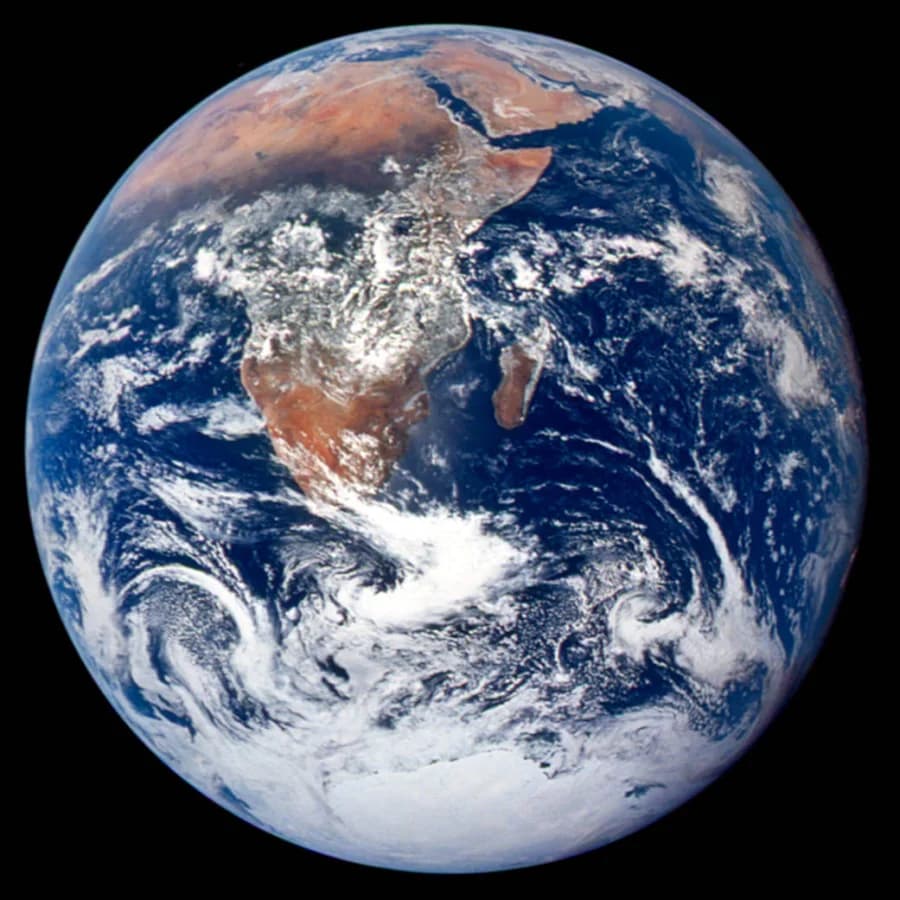
Earth photographed by the Apollo 17 crew
Playing now

Why is Earth so different?

Up next automaticallyWhy do continents move?

Illustrative lineup. You choose the creators in each channel.Earth photograph: NASA / Apollo 17

Science & nature.History & culture.Engineering & technology.

Two ways to watch.

The same creators you choose. A different way to settle in.

Turn on a channel

Good Old-Fashioned Telly

We call it GOFT (non-creatively). Make a Science, History or Animals channel, choose which YouTube creators go into it, or start with a template.

Then turn it on and let the programmes play, without scrolling or choosing something new every few minutes. Sometimes we all need to decompress. And discover something we never thought to ask.

Pick a video

On demand

Have something in mind? Browse videos from your chosen creators and pick what interests you. For children, parents choose which creators are available.

Both ways stay within that selection. A telly channel brings several creators together around a subject; a YouTube creator is one of the sources you put into it.

Something worth
learning.

For the things you’ve always wanted to understand.
And the questions they never stop asking.

Give them something to get curious about.

Give their curiosity room to wander, with programmes from creators you’ve chosen yourself.

  • Let them stumble onto something new.A telly channel can take them from dinosaurs to distant planets, without asking what they’re interested in next.
  • You choose the creators.Manage their approved YouTube creators from your browser and choose whether Shorts appear.
  • Set viewing limits.Daily and per-creator limits let you decide how long they can watch. See what they watched in their activity.
Set up your child’s Tellytide
For their next “But why?” Watch the story

Unwind and discover something new.

Put on a documentary channel and settle in. You don’t need to know what you want to learn before you start watching.

  • Let the next programme come to you.Bring your favourite creators together in a telly channel. Turn it on and give yourself a break from choosing.
  • Keep recommendations out.Both telly channels and on-demand viewing use your chosen creators. The next video stays within your selection.
  • Find a video again.Go back to watched videos in History whenever you want to revisit an explanation.
Set up Tellytide for yourself
For your next “I never knew that.” Watch the story

What you watch shapes what you know.

A good explanation gives you something to take away.

How a rocket lifts off. Why mountains form. Educational videos can help you understand things you’ve seen a hundred times but never quite understood.

There’s a whole world beyond the subjects you already know you like. Give yourself and your child room to discover it.

Old-fashioned,
on purpose.

Plenty of families are dusting off DVDs, CDs and record players. Not for nostalgia, but because a shelf you chose is easier to live with than an endless scroll.

Like a shelf of DVDs

A shelf you chose.

Every programme comes from creators you picked. Nothing recommended from elsewhere slips in, so choosing what to watch takes a moment, not an evening.

Like the end of a film

It knows when to stop.

Set a daily limit, or one per creator or telly channel. When time’s up, the screen says “All done for today”. On demand tells you when you’re all caught up.

Like the family TV

Something to watch together.

Put an Animals or History channel on the iPad and settle in on the sofa. The next programme comes on by itself, so nobody has to reach over and pick.

Ready to set
up your Tellytide?

Set it up on the web.
Enjoy it on iPhone or iPad.

  1. Make a profile

    Create an account, then add a profile for yourself or your child.

  2. Choose your creators

    Add YouTube creators you trust. Build telly channels around subjects, or start with a template. Set time limits and decide whether to include Shorts.

  3. Pair and explore

    Download Tellytide and connect it with a six-character code. The app needs no Google or YouTube login.

Create your free account

More say in
what shows up.

See what you can choose with Tellytide,
YouTube Kids and Apple Screen Time.

Viewing controls compared
The controlsTellytideYouTube KidsApple Screen Time
Who picks what shows upYou choose the YouTube creatorsThe algorithm, unless you hand-approve on the kid's deviceBlocks apps, not what's inside them
Recommended & autoplayTelly and on-demand videos stay within your selected creatorsYes, except in its strictest modeCan't see inside YouTube
Per-creator time limitsYes, plus a daily totalNo, one on-device timer for everythingApp-level only
ShortsBlock them per creatorShows themCan't target Shorts
PriceFreeFree, with adsBuilt into iOS

Swipe the table to compare all three.

Good questions.

Still curious? We’re here to help.

What is Good Old-Fashioned Telly?

Good Old-Fashioned Telly (GOFT) lets you turn on a topic channel and let the programmes play, without choosing another video every few minutes. You choose the YouTube creators in each telly channel, or start with a template. On demand lets you browse and pick individual videos from your approved creators instead.

Can I use Tellytide for myself?

Yes. Create a profile for your own interests, choose your favourite YouTube channels, and pair your iPhone or iPad. You get the same channel choices, time limits and History as a family profile.

How is this different from YouTube Kids?

YouTube Kids recommends from its own catalog unless you approve content on the child's device. Tellytide shows videos from the channels you add on the web.

Do my kids need a Google or YouTube account?

The paired iPhone or iPad does not use a Google or YouTube login. You manage channels on the web and pair the app with a six-character code.

Does it block ads?

Tellytide does not add its own ads, but it uses YouTube's official embedded player, so ads served by YouTube may still play. You choose the channels; YouTube controls the ads it serves.

Can I set time limits?

Yes, per YouTube creator and as a daily total. When the daily time is up, watching stops until the next day.

What about Shorts?

You can block Shorts by default and adjust that choice per YouTube creator.

Does it work on the iPad my kid already uses?

Yes. It pairs to an existing iPhone or iPad with a six-character code.

Why did you build Tellytide?

I built Tellytide for my son because the quality of what he watched mattered as much as the minutes. I wanted him to turn on something interesting without choosing a new video every few minutes. My wife and I now use it too. (Mert, founder of Tellytide).

Is it really free?

Tellytide is free on iPhone and iPad.

Settle in.
Discover something.

Put on a telly channel for yourself or your child. There’s plenty worth watching.

Set up your Tellytide

Free on iPhone and iPad.